Visual Support From Afar
Why Standard Video Calls Fall Short for Technical Support
A standard video call shows the problem, but the expert still has to explain where to look and what to do next. Technical support benefits from a shared visual reference tied to the object being inspected or repaired.
Voice first, then video
How Remote Technical Support Has Evolved
Phone calls carried support teams for years. A technician would outline a problem, and a specialist would try to diagnose it from spoken details alone. Letting specialists view equipment, installations, and environments in real time is how video calls improved that process.
A new challenge appeared, though, once organizations rolled out video support at scale. Specialists could now view the problem, yet they still had trouble explaining exactly what the user should inspect, adjust, or repair.
- "Shift the camera a little left."
- "No, left—the other one."
- "Notice that connector?"
- "Not that one. The one sitting above it."
Both people are watching the same video stream, yet they still have no exact way to steer attention toward particular objects. Many troubleshooting delays start in that gap.
Seeing is not guiding
Seeing a Problem Differs From Guiding a Solution
Visibility is what a standard video call supplies. Guidance is what technical support needs. Picture a maintenance technician standing before a control cabinet that holds:
- 50 connectors
- 20 switches
- Several indicator lights
- Various sensors and wiring bundles
Both the remote specialist and the technician can view the cabinet, yet they may be looking at different parts. Several minutes might go into describing a part that a visual marker or annotation could have identified at once.
The difficulty grows even sharper when equipment layouts are complicated, parts look alike, technicians bring mixed experience levels, teams speak different terminology, or several languages are in play. Troubleshooting slows, more errors appear, and frustration piles up without cause.
Meeting products in physical settings
The Largest Limitation of Standard Video Calls
Meetings were the main design target for traditional video conferencing products. Audio communication, video streaming, screen sharing, and chat messaging sit among their core features. Documents, presentations, or software are settings where those products work well.
An entirely different challenge appears in physical environments. Spatial understanding is often what technical support depends on. Specialists must show which component needs inspection, where a cable should be connected, which valve should be adjusted, which sensor is faulty, and which switch should stay untouched.
Very limited ways to pass along this information exist in standard video calls. Shortcomings around collaboration, spatial understanding, and communication, compared with more immersive technologies, keep turning up in research into video conferencing technologies.
Why confusion lingers
Why Miscommunication Shows Up So Often
Uneven Terminology
A seasoned engineer might name a component with its technical label. The same part may go by another term for a field technician, while a customer may have no name for it at all.
Uneven Experience Levels
Certain equipment configurations are recognized at once by senior technicians. New employees may not recognize them. What looks obvious to a specialist may not look obvious to someone viewing the equipment for the first time.
Complicated Settings
Hundreds of similar-looking components often fill industrial facilities, substations, production lines, and telecommunications sites. Identifying the right object can still take time, even with live video.
Language Barriers
Workers across several countries often receive support from many global organizations. Lengthy verbal explanations are frequently less effective than visual guidance.
Support that starts with visuals
How Remote Visual Support Addresses the Problem
The foundation of video communication is what remote visual support builds on. Specialists can interact with what the user sees, rather than only showing a live video stream. Typical features in modern solutions include:
- Sharing live video
- Visual annotations, arrows, markers, and highlights
- Capturing images
- Recording the session
The specialist can identify an object visually instead of describing it out loud. Rather than saying "inspect the connector beside the lower relay," the specialist can drop an arrow right onto the connector. Where to focus is obvious to the technician at once.
Faster diagnosis, fewer repeat visits, and stronger troubleshooting efficiency are results organizations using remote visual support frequently report, because specialists can view the issue and steer users with more precision.
What comes next
Why AR Remote Assistance Goes Further Still
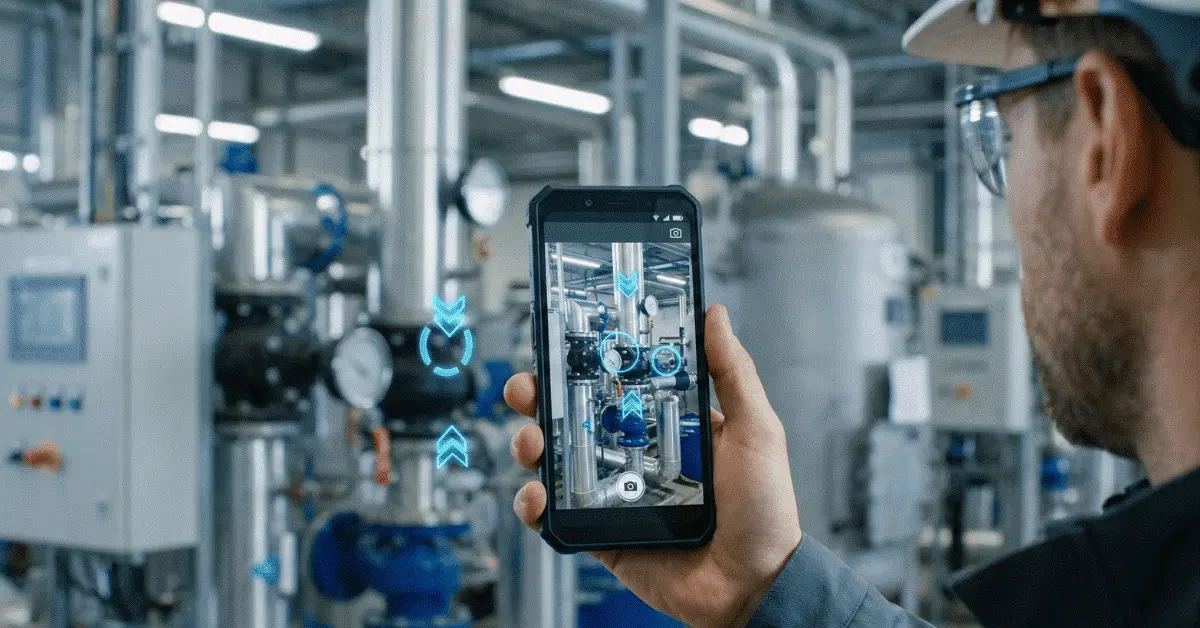
Communication improves with remote visual support. Annotations that stay anchored to the real-world environment are how Augmented Reality takes it a step further. Specialists can walk users through a spatially aware experience, rather than drawing temporary marks on a screen.
- 3D arrows aimed at components
- Visual instructions that persist
- Guided procedures, step by step
- Visual workflows and context-aware annotations
A collaborative setting that more closely resembles standing beside the technician in person is the result. Precision improves, ambiguity drops, and users complete tasks more effectively than with voice-only or traditional video support, according to research and industry deployments that keep showing the same pattern for AR-based guidance.
Example from the field
Troubleshooting a CNC Machine
- 1
Spot the error
After the CNC machine stops production, the operator sees an error code.
- 2
Connect remotely
Once the specialist joins the session, the machine environment comes into view.
- 3
Flag the sensor
Within seconds, an AR arrow identifies the exact sensor that needs inspection.
- 4
Check the result
Visual instructions are followed by the operator, and the specialist verifies the outcome.
Where video hits its ceiling
Industries That Need More Than Standard Video Calls
Manufacturing
Downtime on production is expensive. Rapid, accurate guidance is what teams need to restore operations.
Field Service
Immediate access to expertise is often required, because technicians frequently work on their own.
Telecommunications
Precise visual instructions are frequently required for network infrastructure and equipment installations.
Utilities and Energy
Accessing remote assets can be difficult and expensive. Unnecessary travel drops when visual guidance is available.
Construction
Shared visual context helps site inspections, installations, and issue resolution.
Results in operations
Impact on the Business
Measurable operational improvements often appear once organizations move past standard video calls and take up visual support technologies.
Quicker Problem Resolution
Less time goes into identifying issues and more time goes into solving them for specialists.
Better First-Time Fix Rates
Guidance reaches technicians during the first visit rather than requiring repeat appointments.
Lower Travel Costs and Downtime
Several locations can be supported remotely by specialists, and equipment is back in operation sooner.
Stronger Knowledge Transfer
During real-world situations, less experienced workers learn from specialists.
Stronger Customer Satisfaction
With fewer misunderstandings, problems close faster.
Reductions in resolution times, better first-time fix rates, and fewer unnecessary site visits are reported in some enterprise deployments when visual support and AR guidance are folded into service workflows.
Support that starts with visuals
Technical Support’s Future Is Visual
Technical support is changing. Creating a shared understanding, rather than merely offering communication channels, is the focus of the next generation of support tools. Conversation arrived with phone calls. Visibility arrived with video calls. Collaboration arrives with remote visual support and AR remote assistance.
Visual-first support models are being adopted more often by organizations that depend on field service, maintenance operations, technical support, and distributed workforces, because they reduce friction between specialists and frontline workers. Talking about the problem is not the goal. Solving it faster is the goal.
Closing note
Compared with traditional phone support, standard video calls are a major improvement, yet they were never designed for complex technical troubleshooting. More than visibility is required for technical support. Precise guidance, shared context, and a way to steer attention toward specific objects and actions are required.
Letting specialists guide technicians visually rather than depending entirely on spoken instructions is how remote visual support and AR remote assistance close this gap. Moving beyond standard video calls is becoming an increasingly important step in digital transformation for organizations that want faster troubleshooting, higher first-time fix rates, lower support costs, and reduced downtime.
Common questions
Visual Technical Support Questions
Why do video calls fall short for technical support?
Specialists can view a problem on video calls, yet those calls often lack tools for giving exact visual guidance. Confusion can follow when components, equipment, or procedures have to be identified.
What does remote visual support mean?
Live video plus visual guidance tools such as annotations, arrows, and markers is what remote visual support brings together, helping specialists steer users more effectively.
How does AR remote assistance differ from video calls?
Spatially aware visual guidance that can be anchored to real-world objects is what AR remote assistance adds, so instructions become clearer and more intuitive.
Which industries gain the most from AR remote support?
Manufacturing, field service, telecommunications, utilities, construction, facility management, and industrial maintenance frequently gain from AR-based support solutions.
Are smart glasses required for AR remote support?
No. Smartphones and tablets are enough for most modern AR remote support platforms, which makes adoption easier and more cost-effective.
Go Beyond Standard Video Calls with GuideMeAR
Convert live video into exact visual guidance so remote specialists can steer attention, check actions, and help technicians close complex issues more quickly.