
1
Connect instantly
The person in the field opens the app and shares their camera in seconds.
See what they see. Draw instructions directly on their screen. Resolve issues faster without travel, hardware, or training.
Connect. See. Guide. Solve.
The person in the field opens the app and shares their camera in seconds.
You see exactly what they see in real time - no more guessing or long explanations.
Draw arrows, circles and instructions directly on their screen. Problem solved.
For Business
Connects your experts with teams in the field so issues get resolved quickly - without travel, extra hardware, or complex training.
Resolve issues up to 70% faster
Reduce travel & downtime
Empower your team anywhere, anytime
Support teams can place AR markers directly on a user's camera feed, making troubleshooting faster and clearer.
Let remote experts assist on-site technicians with live video and precise visual instructions.
Conduct equipment checks, property walkthroughs, and site inspections without needing to travel.
Train new staff remotely with real-time visual guidance that makes procedures easy to follow.

Mobile experience
A closer look at UI elements and live annotations in the mobile session view.
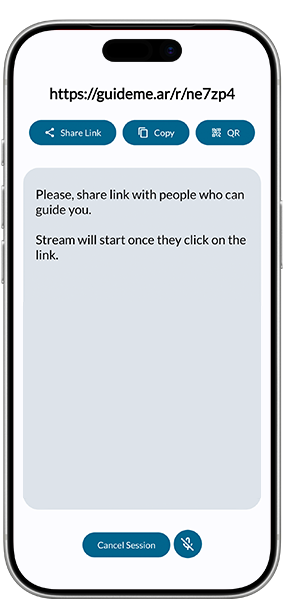
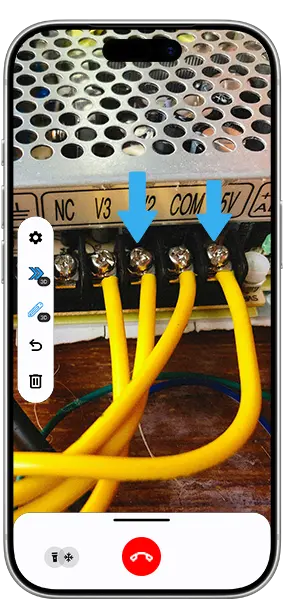
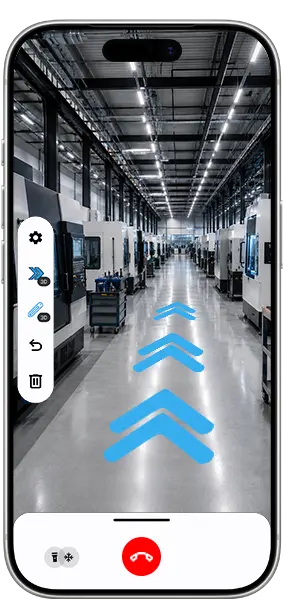
GuideMeAR interface
Explanations of each available tool to understand its purpose, behavior, and practical use during live guidance.
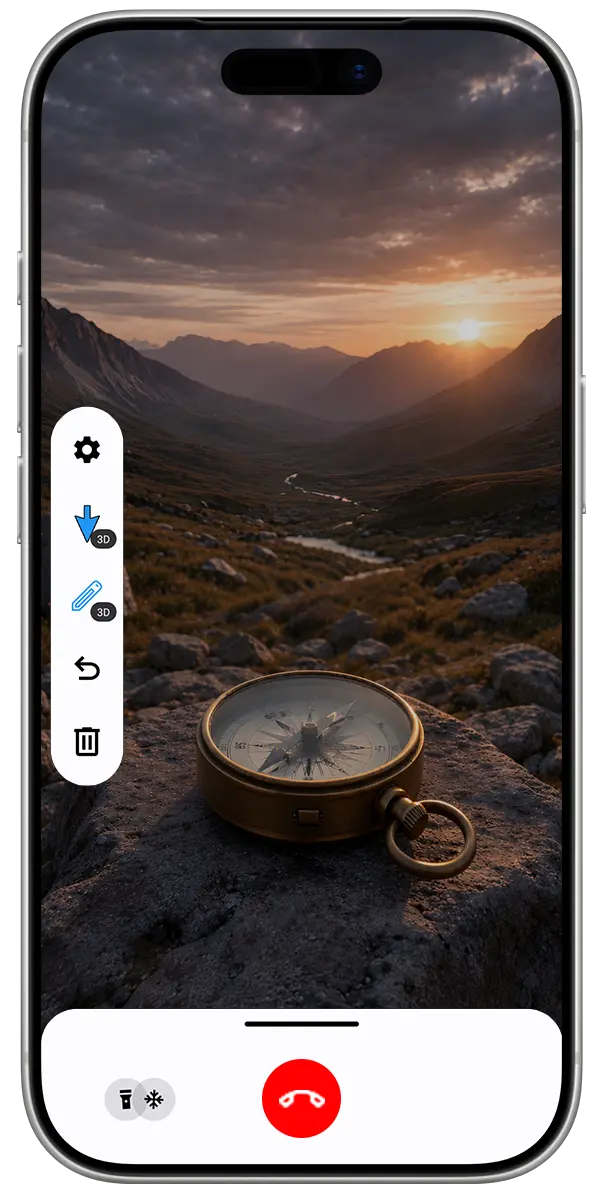 1 2 3 4 5 6 7 8
 Open session controls and 2D/3D annotation preferences.
Place a directional arrow in the scene to show exactly where to look.
Draw freehand marks in augmented reality for quick visual guidance.
Remove the last action.
Delete currently selected AR annotation or on long press clear all annotations.
Turn on the device light so details stay visible in darker spaces.
Pause the video stream so the user can focus on the issue without keeping the device pointed at it, while all annotations remain available.
Close the live guidance session when the task is complete.
GuideMeAR plans
Compare the features available for personal and business guidance workflows.
| Features | Free | Professional | Business |
|---|---|---|---|
| 15-minute session limit | Available | Not available | Not available |
| One to One Session | Available | Available | Available |
| Ad-supported | Available | Not available | Not available |
| Unlimited session duration | Not available | Available | Available |
| Unlimited participants | Not available | Available | Available |
| No ads | Not available | Available | Available |
| 3D annotations | Available | Available | Available |
| AR drawing | Available | Available | Available |
| Mobile support (phones & tablets) | Available | Available | Available |
| Web support | Not available | On request | On request |
| Chat | Coming soon | Coming soon | Coming soon |
| Secure file sharing | Not available | Coming soon | Coming soon |
| Session recording | Not available | Coming soon | Coming soon |
| Dedicated server | Not available | Not available | According to business needs |
| Web dashboard | Not available | Not available | Available |
| Custom pricing and features | Not available | 99$ per year | Custom quote |
| Customer support | Not available | Available | Priority support |
| Get Started | Contact Us |
Support center
Quick answers about setup, live guidance, subscriptions, and platform support.
AR remote assistance lets a remote expert guide a user in real time using annotations, arrows, and visual cues over live video stream.
YOUR NEXT STEP
Tell us where your team needs support. We’ll help you explore AR Remote Assist or another GuideMeAR solution.