Remote assistance through AR
Remote Visual Support Compared With Traditional Phone Support
When a technician, customer or field worker asks for help, the expert first needs to understand the problem. This article compares remote visual support with traditional phone support and explains why teams add a camera view to voice-based troubleshooting.
The baseline
What Traditional Phone Support Means
Phone support has followed the same basic process for decades: the user describes the problem, and the support agent asks questions to diagnose it from those descriptions.
Account questions, password resets, or known software issues are simple requests where this approach works well. Physical equipment, installations, maintenance tasks, or troubleshooting in the field make it significantly more difficult, however.
"The machine still is not working, even though the cable is connected correctly."
Neither the cable, the machine, nor the surrounding environment is visible to the support agent. Verbal descriptions and assumptions are what every diagnosis depends on.
Support that starts with vision
What Remote Visual Support Means
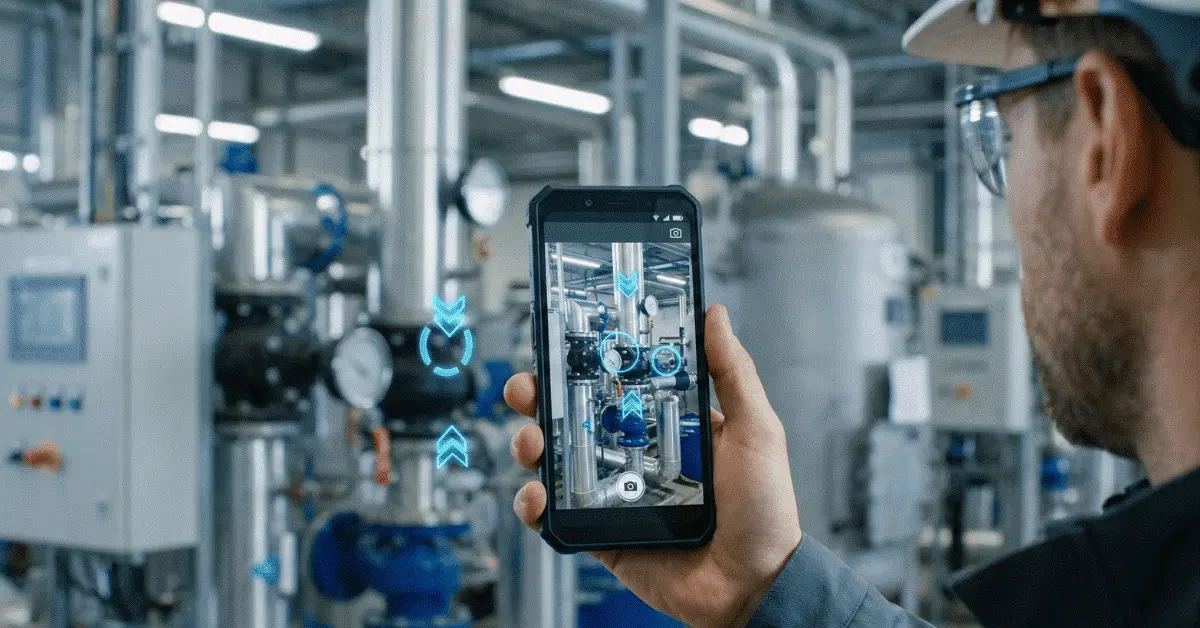
What the user sees can be seen by experts through a live video stream with remote visual support. Real-time visual context reaches support teams instead of depending entirely on spoken explanations.
Video calls are only the starting point; modern visual support platforms also provide:
- Sharing the live camera
- Annotations in AR
- Markers and arrows
- Capturing images
- Recording the session
- Collaboration among multiple users
Components can be identified, equipment inspected, and users guided through visual instructions rather than lengthy explanations. Misunderstanding and diagnostic errors drop significantly with this approach.
The central difficulty
Phone Support’s Biggest Problem
A shared understanding has to be built from words alone by both participants during phone support.
That sounds simple until the issue involves:
- Machinery that is complex
- Systems that are electrical
- Equipment used in industry
- Infrastructure for networks
- Systems for HVAC
- Lines used in manufacturing
"On the left side of the control panel, check the connector."
The connector—which one?
The panel—which one?
The left one
Your left, or mine?
Long troubleshooting sessions and repeated clarification requests often grow out of small communication gaps.
Much of this ambiguity disappears with remote visual support, because the same environment is in view for both participants.
A direct comparison
Remote Visual Support Compared With Traditional Phone Support
| Phone support in the traditional sense | Visual support delivered remotely |
|---|---|
| Verbal descriptions carry the load | Live visual context is used |
| Misunderstanding is more likely | Understanding is shared visually |
| Troubleshooting sessions run longer | Diagnosis happens faster |
| Physical issues are hard to identify | The issue is seen directly by experts |
| Follow-up visits are often required | More problems are solved remotely |
| Training opportunities stay limited | Knowledge is transferred in real time |
| Visual evidence is absent | Screenshots and recordings can be used |
Seeing the problem is often faster than describing it, which is why organizations increasingly adopt visual support.
Results in operations
How Problem Resolution Improves With Remote Visual Support
Diagnosis That Moves Faster
Less time is spent gathering information when equipment, error messages, indicators, and the environment are visible to experts directly.
Visible issues can be identified immediately and attention can shift to solving the problem, instead of asking multiple diagnostic questions. Troubleshooting efficiency and first-contact resolution have been shown to improve with visual support.
Less Miscommunication
Different interpretations of terminology by users and experts delay many support cases.
The same component may have different names for a field technician, a customer, and an engineer.
Pointing directly at the relevant object is how visual guidance removes much of this confusion.
First-Time Fix Rates That Rise
Resolving the issue immediately becomes more likely when guidance reaches technicians during the initial visit, rather than scheduling additional visits. Customer satisfaction improves while operational costs fall.
Knowledge Transfer That Works Better
Expertise can be shared across locations with remote visual support.
Complex procedures can be walked through by experienced specialists for junior workers, so teams learn while solving real problems.
Uses by sector
Which Industries Gain the Most From Visual Support
Manufacturing
Production equipment is troubleshot, machinery is inspected, and breakdowns are resolved by maintenance teams through visual support, without waiting for specialists to travel.
Field Service
First-time fix rates rise and repeat visits fall when HVAC, electrical, and mechanical service providers use visual guidance.
Telecommunications
Wiring issues, equipment configuration problems, and installation errors can be identified remotely with visual support. Unnecessary engineer dispatches are reduced as telecom providers increasingly use visual troubleshooting.
Utilities and Energy
Inspections, maintenance activities, and infrastructure troubleshooting can be walked through by remote experts for field workers.
Construction
Installations are verified, inspections are conducted, and field issues are resolved faster when project teams use visual collaboration.
Choosing the channel
When the Right Choice Is Still Phone Support
Phone support remains effective when:
- The issue is simple
- Visual context is unnecessary
- Camera access is unavailable to the user
- The problem is administrative rather than technical
- Video sharing is prohibited by security requirements
Replacing phone support entirely is not the goal. Using visual support when seeing the problem provides a meaningful advantage is the goal.
A path to adoption
How Visual-First Support Is Being Adopted by Businesses
A small pilot focused on a specific use case is how many organizations begin.
Typical starting points include:
- Troubleshooting equipment
- Assistance for field service
- Technical support for customers
- Guidance during installation
- Operations around maintenance
Adoption often expands across multiple departments once teams see improvements in resolution time, travel reduction, and customer satisfaction. Costs fall while support quality rises, which is why visual support solutions are increasingly chosen.
The takeaway
Wrapping Up
Many situations still benefit from traditional phone support, yet clear limitations appear once physical assets, equipment, and technical troubleshooting are involved.
Seeing the problem directly, providing visual guidance, and helping users resolve issues more efficiently are what remote visual support gives experts.
Visual support offers a practical evolution beyond voice-only communication for organizations focused on reducing downtime, lowering support costs, and improving first-time fix rates.
Common questions
Questions and Answers
What does remote visual support mean?
Live video, visual guidance, and augmented reality annotations—rather than verbal communication alone—are how experts assist users through remote visual support.
Does remote visual support outperform phone support?
Remote visual support is often more effective for visual and technical problems, because the issue can be seen directly and precise guidance can be provided.
Is special hardware required for remote visual support?
Smartphones and tablets are enough for most modern solutions. Smart glasses and other specialized devices are optional.
Can technician visits fall with remote visual support?
Yes. Diagnosing and resolving many issues remotely cuts unnecessary travel and on-site visits.
Which industries gain the most from remote visual support?
Remote visual support technologies are commonly used in manufacturing, field service, telecommunications, utilities, construction, and facility management.
See AR Remote Assistance With GuideMeAR
Live camera sharing and clear AR annotations can raise troubleshooting speed, cut miscommunication, and help teams resolve technical issues with fewer on-site visits.