Remote Support With AR
How Augmented Reality Remote Support Cuts Miscommunication
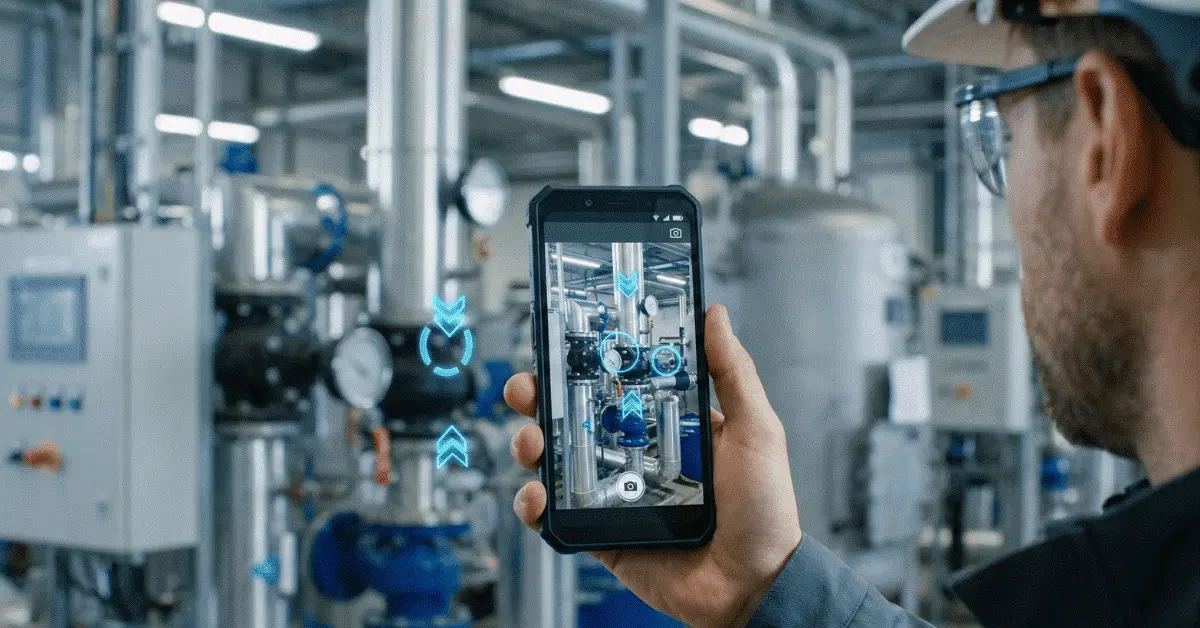
AR remote support puts live video and visual instructions in the same view. Specialists and frontline staff can point to the same part, reduce misunderstandings and work through the technical issue more quickly.
The challenge
Why Miscommunication Ranks Among the Costliest Problems in Remote Support
A specialist who cannot see the user’s equipment has to rely on descriptions. That gap can cause delays, return trips, avoidable travel costs and longer downtime, whether the job involves a manufacturing machine, telecom infrastructure or a customer’s installation.
Phone calls, emails, screenshots, and ordinary video meetings still dominate conventional remote support. Those channels can handle straightforward issues, yet they tend to break down once physical equipment, complicated settings, or technical procedures enter the picture.
Augmented Reality (AR) remote support offers a meaningful edge in these situations. Pairing live video with visual guidance lets specialists and frontline staff hold a common grasp of an issue, which sharply cuts mix-ups and shortens the time needed to finish a fix.
Limits of communication
Why Phone Calls and Standard Video Calls Come Up Short
Why Phone Calls Frequently Fail During Technical Support
For plenty of business processes, phone support still has value, yet its limits show up quickly whenever visual details matter. Communication that is voice-only rests entirely on spoken descriptions and suffers from varying terminology, uneven experience levels, language barriers, complicated equipment layouts, and the struggle of describing spatial relationships.
"Look at the connector along the left side of the control cabinet."
Questions arise for the technician at once: Which connector? Which cabinet? Left from whose viewpoint? Upper connector or lower connector? Each extra clarification adds delay and raises the odds of an error.
Why Standard Video Calls Do Not Always Suffice
Because specialists can at last view the environment, video calls improve communication. Visibility by itself, though, does not settle every issue. Even on a video call, specialists frequently have trouble steering attention onto a particular object.
Picture a control panel packed with dozens of buttons, switches, indicators, and connectors. The specialist can view the panel, yet still has to explain out loud which part needs attention using phrases like "shift a bit left," "above that switch," or "not that one." Video supplies context, but spoken instructions still carry most of the communication load.
Five gains
Five Ways AR Remote Support Cuts Miscommunication
1. Removes Ambiguous Directions
Words such as left, right, above, below, and near can be read in more than one way. By visually pinpointing the exact object being discussed, AR annotations take the ambiguity out. Rather than saying "inspect the cable near the power supply," the specialist drops an arrow right onto that cable.
2. Instantly Creates Shared Understanding
A common grasp of the problem has to exist before troubleshooting can start. That shared context appears at once with AR support, so the discussion can go straight into solving the issue.
3. Lowers Language Barriers
Workers in several countries and languages often receive support from global organizations. Technical terminology does not always carry over consistently, whereas a highlighted component is frequently simpler to grasp than a long explanation.
4. Makes Real-Time Action Checks Possible
After instructions have already been issued, miscommunication still shows up often. Specialists using AR remote support can visually check each step while it takes place. Errors are easier to stop before they grow, thanks to that immediate feedback loop.
5. Strengthens Knowledge Transfer
As a knowledge-sharing platform, AR remote support is equally strong. Less experienced workers can be walked visually through complex procedures by seasoned specialists, so technicians pick up practical experience while organizations hold onto valuable expertise.
Example from the field
AR Support on the Manufacturing Floor
- 1
Open a live session
As soon as the production line stops, the technician opens a session.
- 2
View the machine
The machine and the context around it appear to the remote specialist at once.
- 3
Flag the component
Over the component thought to need inspection, the specialist sets an AR arrow.
- 4
Confirm the result
After the technician carries out the inspection, the specialist confirms the outcome.
Application areas
Industries That Gain From AR Remote Support
Manufacturing
To troubleshoot machinery, cut downtime, and assist maintenance teams, manufacturers turn to AR support.
Field Service
Without sending specialists to customer sites, field technicians still get expert guidance.
Telecommunications
For network installations, tower maintenance, and equipment troubleshooting, telecom providers rely on visual support.
Utilities and Energy
Workers carrying out inspections, maintenance, and infrastructure repairs can be guided by specialists.
Construction
Site inspections, installation verification, and issue resolution are where construction teams apply AR guidance.
Facility Management
When diagnosing equipment and building systems, maintenance personnel get support right away.
Results for the business
Business Benefits That Go Beyond Communication
Quicker Problem Resolution
Less time goes into gathering information and more time goes into solving problems for specialists.
Less Downtime
Critical equipment is back in operation sooner.
Better First-Time Fix Rates
Accurate guidance reaches technicians on the initial visit.
Reduced Travel Costs
Several sites can be supported remotely by specialists.
Stronger Customer Satisfaction
With fewer misunderstandings, issues close faster.
Stronger Workforce Productivity
Less time is spent waiting for answers and more time is spent completing tasks.
Strategy for adoption
How to Implement AR Remote Support Successfully
A focused pilot is the right place for organizations to start. Equipment troubleshooting, maintenance operations, technical customer support, installation assistance, and field service guidance make strong first use cases.
Resolution time, first-time fix rate, travel reduction, downtime reduction, repeat visits, and customer satisfaction are the measures that should track success. By starting small, organizations can confirm the benefits before they expand deployment.
Ahead of us
Where Technical Support Is Headed
Remote work, distributed teams, and complex equipment are becoming more common, so organizations need support tools that go further than voice communication. Simply seeing the problem is not the future of remote assistance. Sharing the same understanding of the problem is.
Visual context that traditional communication methods cannot deliver is how AR remote support closes the gap between specialist knowledge and on-site execution.
Closing note
One of the largest barriers to efficient remote support is still miscommunication. Phone calls and standard video meetings are useful, yet they frequently falter once technical, spatial, or equipment-related issues appear.
A shared visual understanding lets AR remote support cut downtime, raise first-time fix rates, bring support costs down, and help teams close problems more quickly. Businesses that want more efficient field service, maintenance, and technical support operations increasingly treat it as an essential tool instead of an optional extra.
Common questions
AR Remote Support Questions
What does AR remote support mean?
Live video communication plus augmented reality annotations is what AR remote support brings together, so specialists can visually steer users through troubleshooting and support sessions.
In what way does AR reduce miscommunication?
By letting specialists highlight, mark, and point to specific objects inside the user's camera view, AR supplies a shared visual context.
Does AR remote support outperform video calls?
AR remote support is often more effective for technical troubleshooting and field support, since specialists can offer visual guidance rather than depending only on spoken instructions.
Are smart glasses required for users?
No. Standard smartphones and tablets are enough for most AR remote support solutions.
Which industries gain the most from AR remote support?
To improve troubleshooting and collaboration, manufacturing, field service, telecommunications, utilities, construction, and facility management commonly apply AR remote support.
Cut Miscommunication with GuideMeAR
Supply specialists and frontline teams with the shared visual context required to troubleshoot equipment, check actions, and close problems more quickly.