What Do AR Work Instructions Mean?
Work Instructions in AR Without Complex Hardware
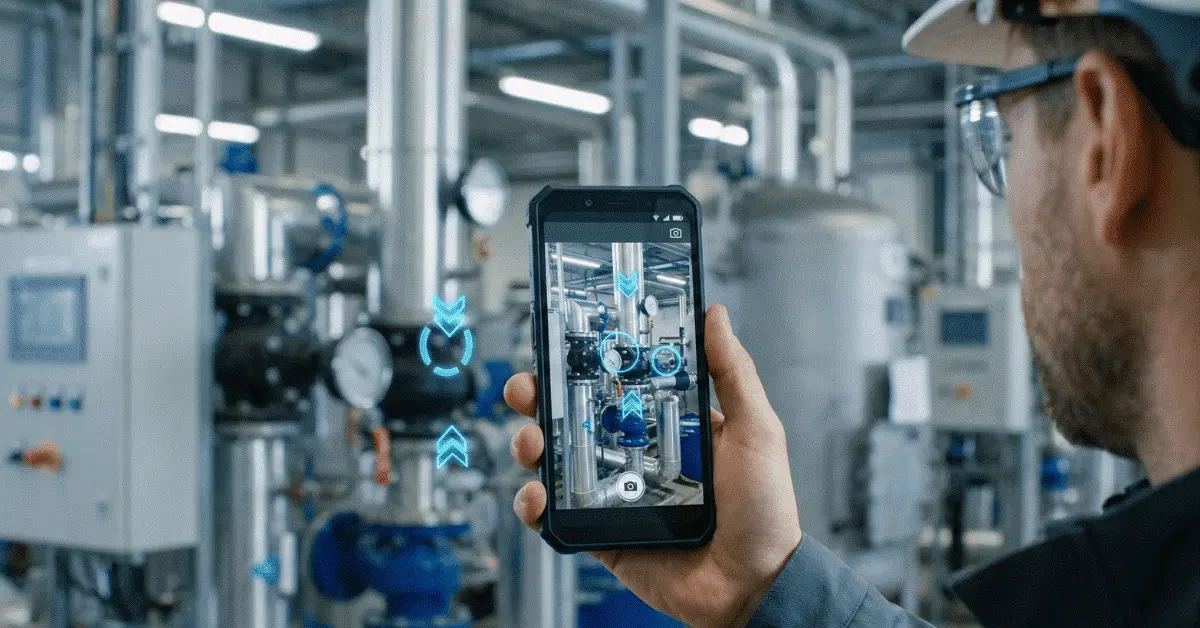
Ordinary smartphones and tablets can already run modern AR work instructions, so teams can deliver visual guidance, AR annotations, and remote expert support without costly smart glasses or complex hardware rollouts.
Uptake across industry
The Largest Myth About Augmented Reality in Industry
Costly smart glasses, specialized headsets, complicated sensors, and large technology investments are what many business leaders picture the moment they hear the term "Augmented Reality."
Across many industries, that impression has held AR adoption back even though the operational benefits AR can offer are clear.
The picture on the ground is far simpler.
Specialized hardware is no longer required for modern AR work instructions. In many situations, a standard smartphone already sitting in an employee's pocket is all that is needed.
Mobile processors, camera technology, and augmented reality software have advanced enough that companies can now roll out AR-guided workflows on existing smartphones and tablets without buying costly wearable devices.
Organizations of every size, from small field service teams to global manufacturing enterprises, can now reach AR work instructions because of this shift.
What it means
What Do AR Work Instructions Mean?
Digital instructions that sit directly on top of a live camera view of the real world are AR work instructions.
Rather than reading a PDF manual, hunting through documentation, or following printed procedures, workers can view visual guidance right on the equipment or environment they are handling.
Illustrations include:
The aim is straightforward:
Help workers complete tasks correctly while cutting uncertainty, errors, and training demands.
- Arrows aimed at components
- Visual instructions, step by step
- Inspection points called out
- Procedures for maintenance
- Guidance for installation
- Workflows for troubleshooting
- Instructions for safety
A gap in the workflow
Why Traditional Work Instructions Frequently Fall Short
Traditional formats still dominate at most organizations, including:
Valuable information sits in these resources, yet they share one common weakness.
Attention has to jump constantly between the instructions and the actual task.
Picture a technician swapping a component inside a machine.
The technician has to:
Throughout the procedure, that cycle repeats.
Mistakes, delays, or skipped steps become more likely as the task grows more complex.
Much of this context switching disappears with AR work instructions, because guidance arrives directly in the worker's field of view through a smartphone camera.
- Printed manuals
- PDF documents
- Knowledge bases
- Video tutorials
- Still images
- Read the instruction.
- Look at the machine.
- Locate the component.
- Go back to the instruction.
- Confirm the next step.
Barrier to adoption
The Hardware Problem That Held AR Adoption Back
Specialized devices sat at the center of industrial AR solutions for years.
Organizations were frequently told they required:
These technologies can still help in particular situations, yet they also bring challenges.
Hardware became a barrier for many organizations before AR could show its value.
- Smart glasses
- Head-mounted displays
- Custom cameras
- Dedicated AR devices
- Specialized tracking systems
- High Initial Costs
- Training Requirements
- Device Management
- Scalability Challenges
Ready-made smartphone capability
Why Smartphones Changed the Picture
Technology that was unavailable just a few years ago now sits inside modern smartphones.
Devices available today include:
Smartphones become surprisingly capable AR devices because of these capabilities.
How to use them is already familiar to most employees.
Most organizations already have them on hand.
No extra hardware rollout is required.
The barrier to adoption drops dramatically as a result.
Companies can start using AR workflows immediately on devices already available to their workforce, instead of purchasing specialized equipment.
- High-resolution cameras
- Powerful processors
- Advanced graphics capabilities
- Motion sensors
- Depth estimation
- Fast wireless connectivity
On the job
AR Work Instructions on the Job
Picture a field technician arriving at a customer site to troubleshoot an industrial machine.
The technician starts an AR-assisted session rather than hunting through manuals or calling an expert for every step.
The machine appears on the smartphone camera.
The remote specialist is able to:
Instructions appear to the technician directly alongside the equipment.
No AR glasses.
No specialized cameras.
No wearable hardware.
Only a smartphone and an internet connection.
- Sketch arrows
- Call out components
- Flag inspection points
- Steer procedures
- Check actions
Main advantages
Benefits of AR Work Instructions on Smartphones
Quicker Deployment
Hardware procurement and rollout projects do not have to finish before organizations can begin using AR.
Reduced Costs
Implementation costs drop significantly when existing smartphones are used.
Simpler Adoption
Training demands shrink because workers already understand how to use smartphones.
Stronger Accessibility
Specialized equipment is not required for every technician to reach AR guidance.
Quicker Troubleshooting
Identifying the correct component and carrying out actions with more confidence is easier when visual guidance is present.
Stronger Knowledge Transfer
Less experienced workers can be guided remotely by seasoned specialists while repeatable procedures are created.
Application areas
Use Cases From the Field
Manufacturing
To troubleshoot machinery, carry out inspections, and run maintenance procedures, maintenance teams use AR instructions.
Field Service
During installations, repairs, and equipment servicing, technicians receive visual guidance.
Utilities
Inspection and maintenance workflows can be followed by workers in remote locations.
Telecommunications
Technicians install, configure, and troubleshoot network equipment with help from AR instructions.
Construction
Inspections, installation verification, and quality control are where teams apply smartphone-based AR guidance.
Fit for the business
Why Smartphone-Based AR Appeals to Businesses
Becoming technology companies is not the aim for most organizations.
Operational problems are what they are trying to solve.
Practical questions come up when decision-makers evaluate new solutions:
Those questions are answered effectively by smartphone-based AR.
Companies can concentrate on the actual business outcome rather than needing a large hardware investment:
Guidance itself is where the value sits, not the hardware.
- What is the cost?
- How hard is deployment?
- How soon can teams use it?
- How much training is needed?
- Less downtime
- Quicker problem resolution
- Stronger training
- Higher productivity
- Reduced support costs
Expertise from afar
AR Work Instructions and Remote Expert Guidance
Remote assistance ranks among the strongest uses of smartphone-based AR.
Real-time visual guidance can reach a worker who connects with a specialist anywhere in the world.
The specialist is able to:
AR work instructions plus remote expert knowledge come together in this approach, helping organizations make expertise available wherever it is needed.
- View the live environment
- Drop annotations
- Call out components
- Check actions
- Help with troubleshooting
The GuideMeAR approach
Why a Hardware-Light Approach Is How GuideMeAR Works
A simple idea sits at the center of GuideMeAR:
Expensive equipment should not be required for AR support to be accessible.
GuideMeAR works with devices employees already own and use every day, rather than requiring smart glasses or specialized hardware.
Organizations can do the following with a standard smartphone:
Adoption becomes faster, simpler, and significantly more cost-effective than many traditional AR deployments as a result.
- Share live video
- Add AR annotations
- Guide workers from afar
- Build visual work instructions
- Back troubleshooting
- Strengthen knowledge transfer
What comes next
Where AR Work Instructions Are Headed
More hardware is not necessarily the future of industrial AR.
Smarter software is.
Businesses will increasingly roll out AR solutions that use existing devices rather than requiring specialized equipment, as smartphone capabilities keep improving.
Barriers to adoption drop with this trend, and more organizations can benefit from AR-powered workflows.
The most advanced hardware will not decide which companies succeed.
Making expert knowledge available to workers at the exact moment it is needed will decide that.
Closing note
Closing Note
Costly smart glasses, specialized cameras, or complex hardware deployments are no longer required for AR work instructions.
Visual guidance, AR annotations, and remote expert support can all be delivered with what modern smartphones already provide.
Costs drop, deployment speeds up, training gets simpler, and AR reaches a broader range of organizations with this hardware-light approach.
Smartphone-based AR work instructions offer a practical path to digital transformation without the complexity traditionally tied to augmented reality, for companies that want to improve troubleshooting, training, maintenance, and field service operations.
Common questions
Questions on AR Work Instructions Without Complex Hardware
Are smart glasses required for AR work instructions?
No. Standard smartphones and tablets can run modern AR work instruction platforms.
Can AR work instructions run without specialized cameras?
Yes. AR guidance and visual annotations come from the device's built-in camera in most solutions.
Which industries use AR work instructions?
Manufacturing, field service, utilities, telecommunications, construction, logistics, and maintenance organizations commonly apply AR-guided workflows.
What advantages come with smartphone-based AR?
Reduced costs, quicker deployment, simpler adoption, smaller training demands, and broader accessibility.
How are AR work instructions delivered by GuideMeAR?
Live video and AR annotations on standard smartphones are how GuideMeAR works, letting specialists guide workers remotely without requiring specialized hardware.
Deliver AR Work Instructions with GuideMeAR
Live video and AR annotations on standard smartphones are how GuideMeAR helps teams make remote guidance and visual work instructions practical without specialized hardware.